
 Find a device, a manual or an answer
Good morning.
The free LOOKEE® App. Your whole night, one tap away.
The free LOOKEE® App turns a night of readings into something you can actually read. Reminders you set, every moment of the night, and reports you can share with your doctor.



Get the free LOOKEE® App
For iPhone and Android. No subscription. Works with every LOOKEE® sleep monitor, the A320B oximeter and the CardioScope™ ECG monitor.


Customized reminders
Reminders that work your way
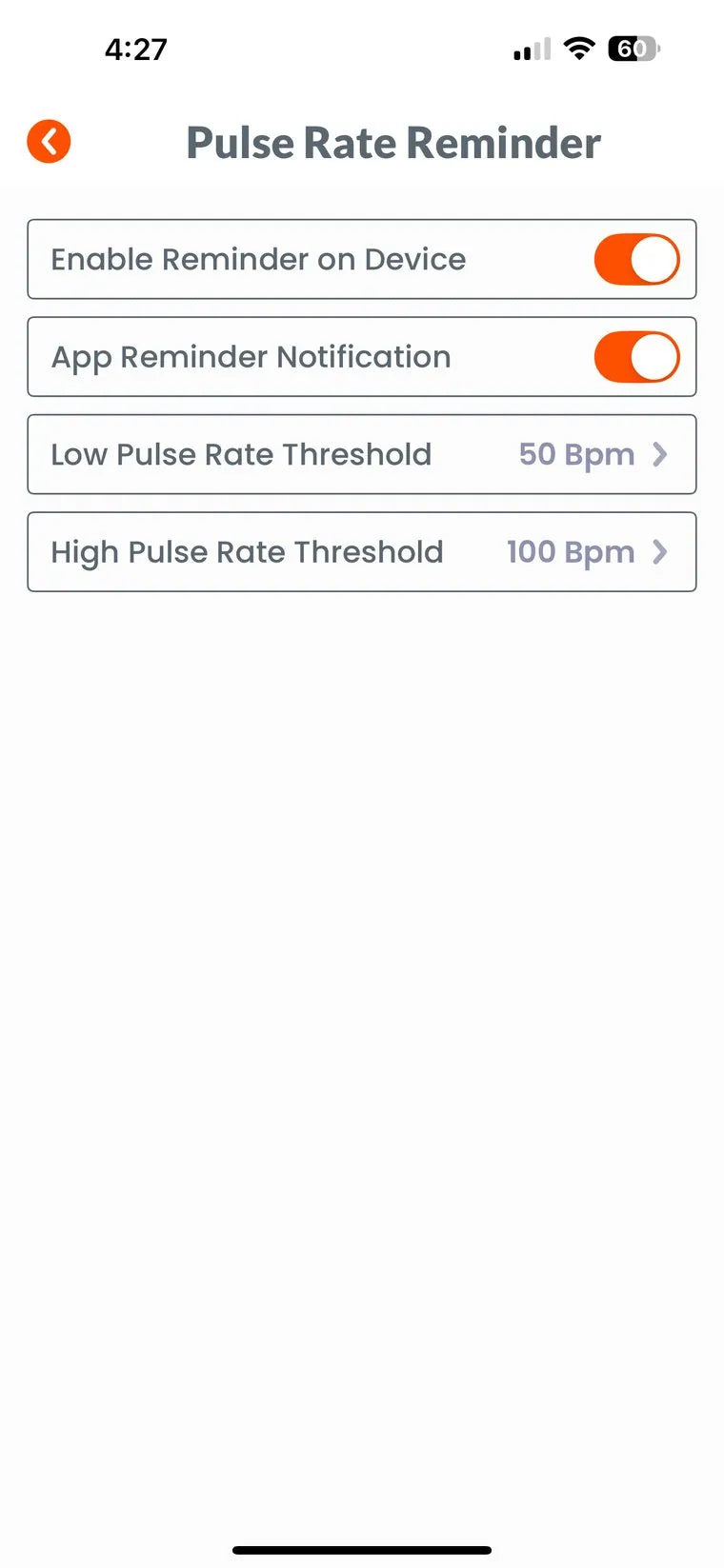
You decide what the ring watches for and how it tells you. Turn a reminder on for the ring, for your phone, or both.
- Reminder on the device: the ring vibrates on your finger
- App notification: your phone shows an alert too
- Low oxygen threshold you choose, for example 90%
- Pulse rate limits, low and high, for example 50 and 100 bpm
- Vibration intensity, finger-out and connection-loss reminders
Zoom in to the details
From the whole night to a single moment
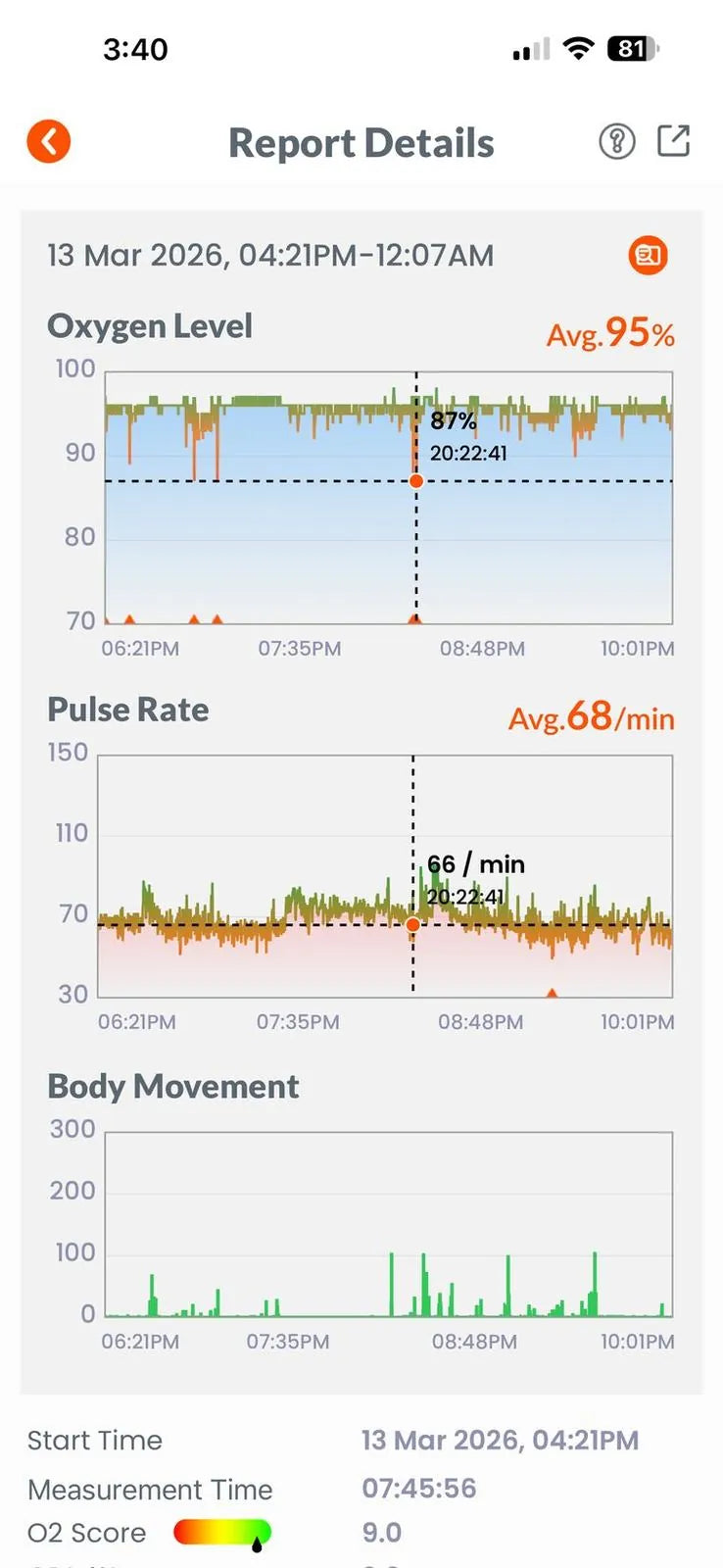
Oxygen, pulse and movement on one timeline
Tap any point for the exact reading and time
Orange marks show drops and vibrations
Your morning summary
Two numbers that sum up the night
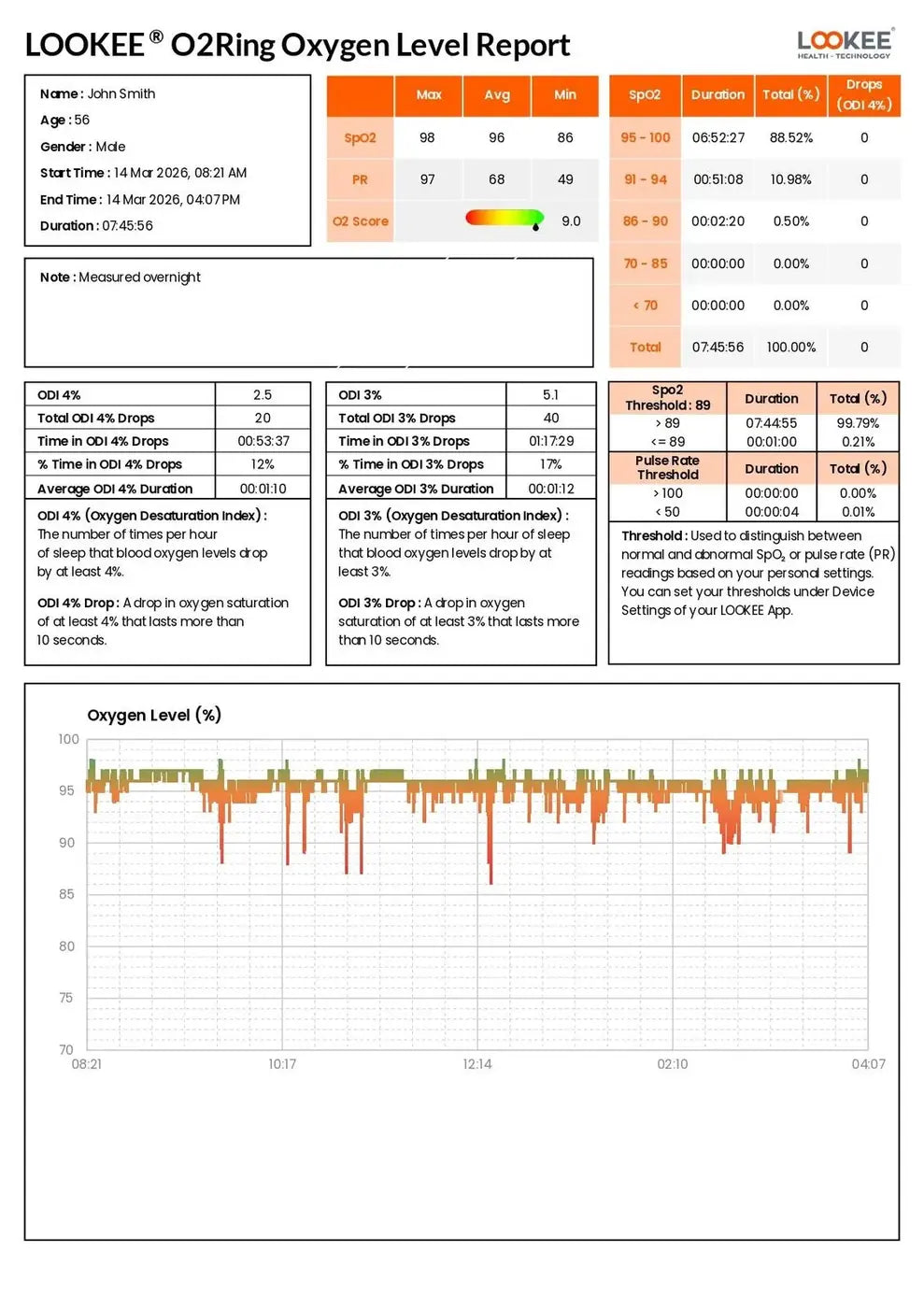
Your O2 Score puts the whole night on a scale of ten. Your ODI counts how many times an hour your oxygen dropped, at both the 3% and the 4% level. Below them, the time you spent in each oxygen range, and space for your own notes.
- O2 Score out of 10
- ODI at 3% and 4%, with drop counts
- Oxygen and pulse distribution through the night

Professional reports
The file you hand to your doctor
- Time spent in each oxygen band
- ODI 3% and 4%: number of drops, time in drops, average length
- Your own thresholds, and the full oxygen, pulse and movement traces
- Export as PDF, CSV or image
The ODI 3% and ODI 4% values are informational metrics derived from overnight oxygen data collected by your LOOKEE® device. They are intended for general wellness and sleep-trend tracking only. These results are not medical diagnoses and should not be used to identify or treat any health condition. If you have concerns about your breathing or sleep, please consult a qualified healthcare professional.
Also in the App
Small things that make a difference
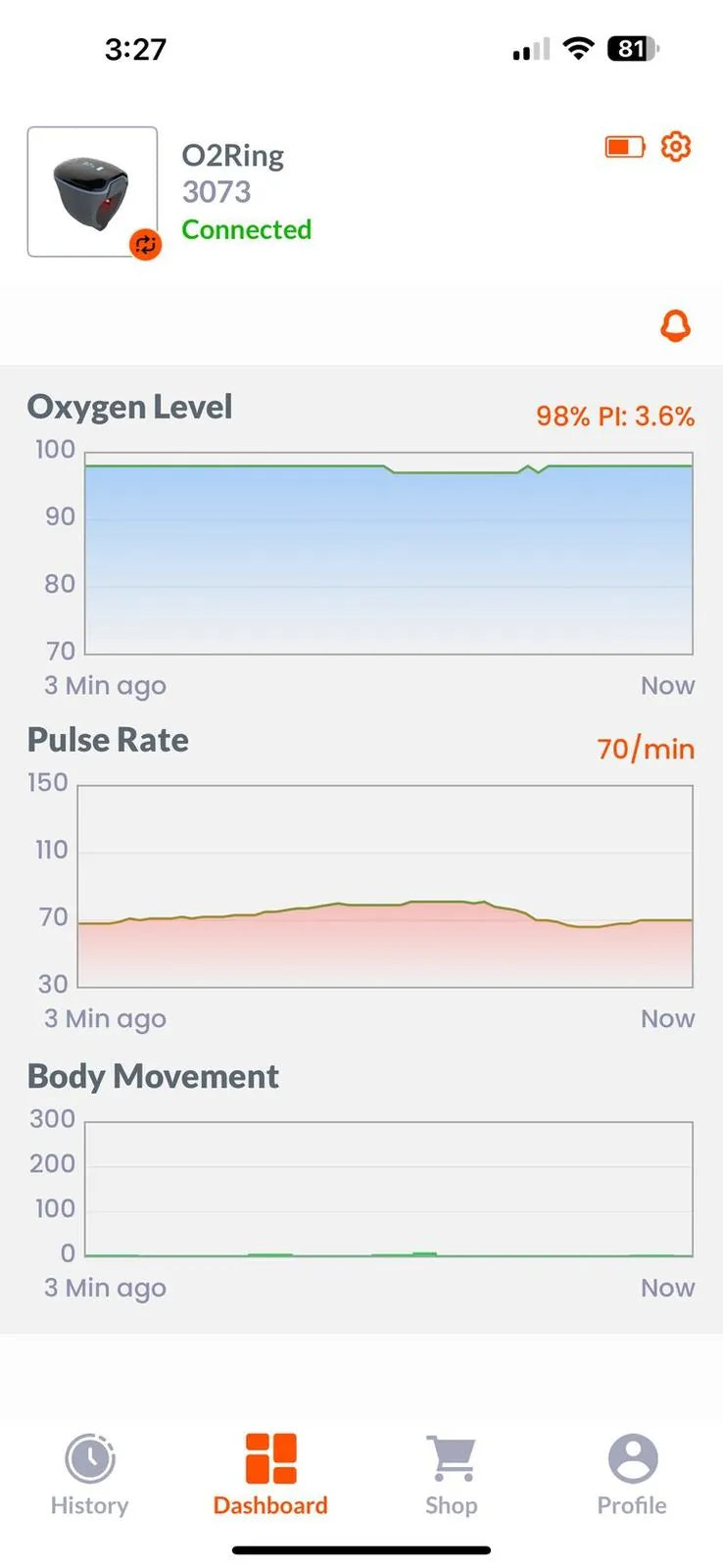
Live readings
See oxygen, pulse and movement in real time while the ring is connected.
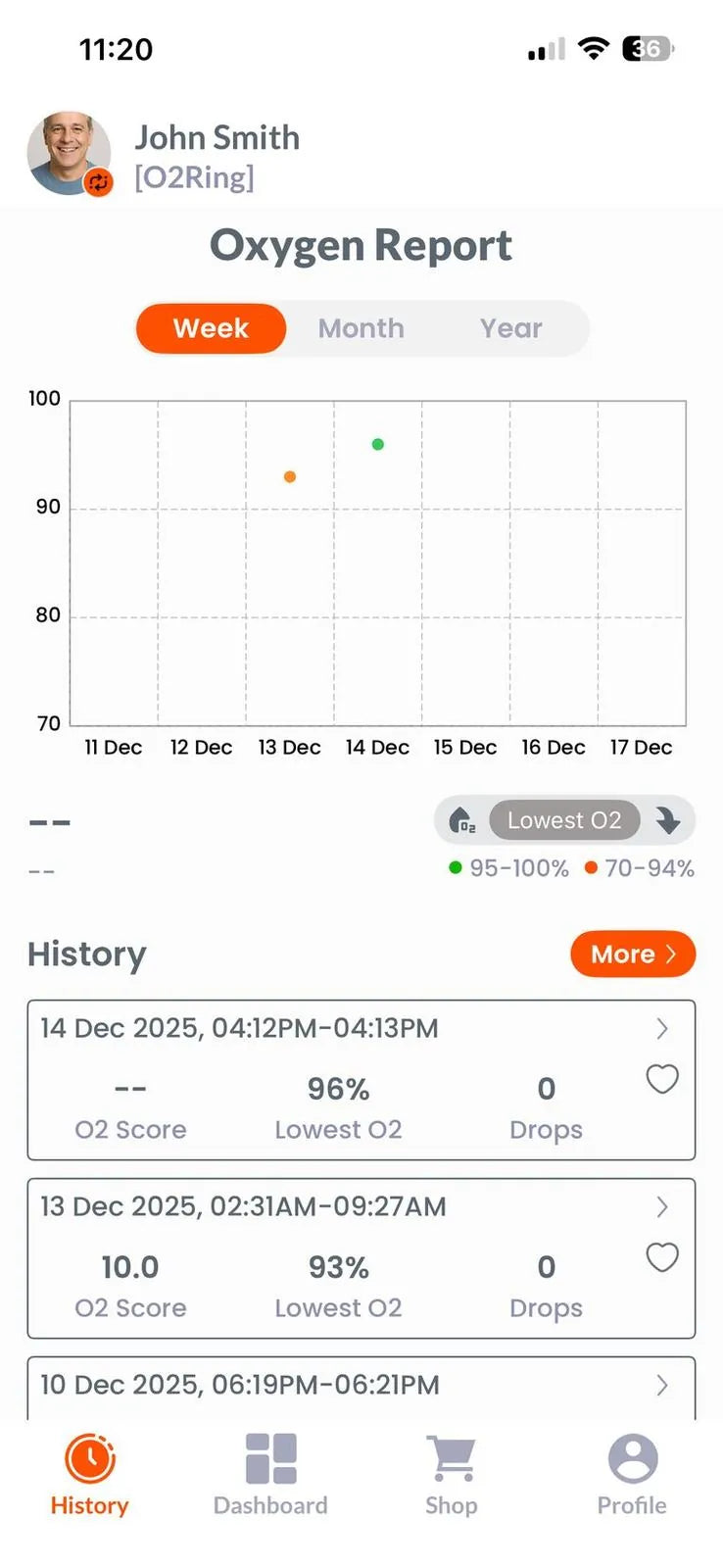
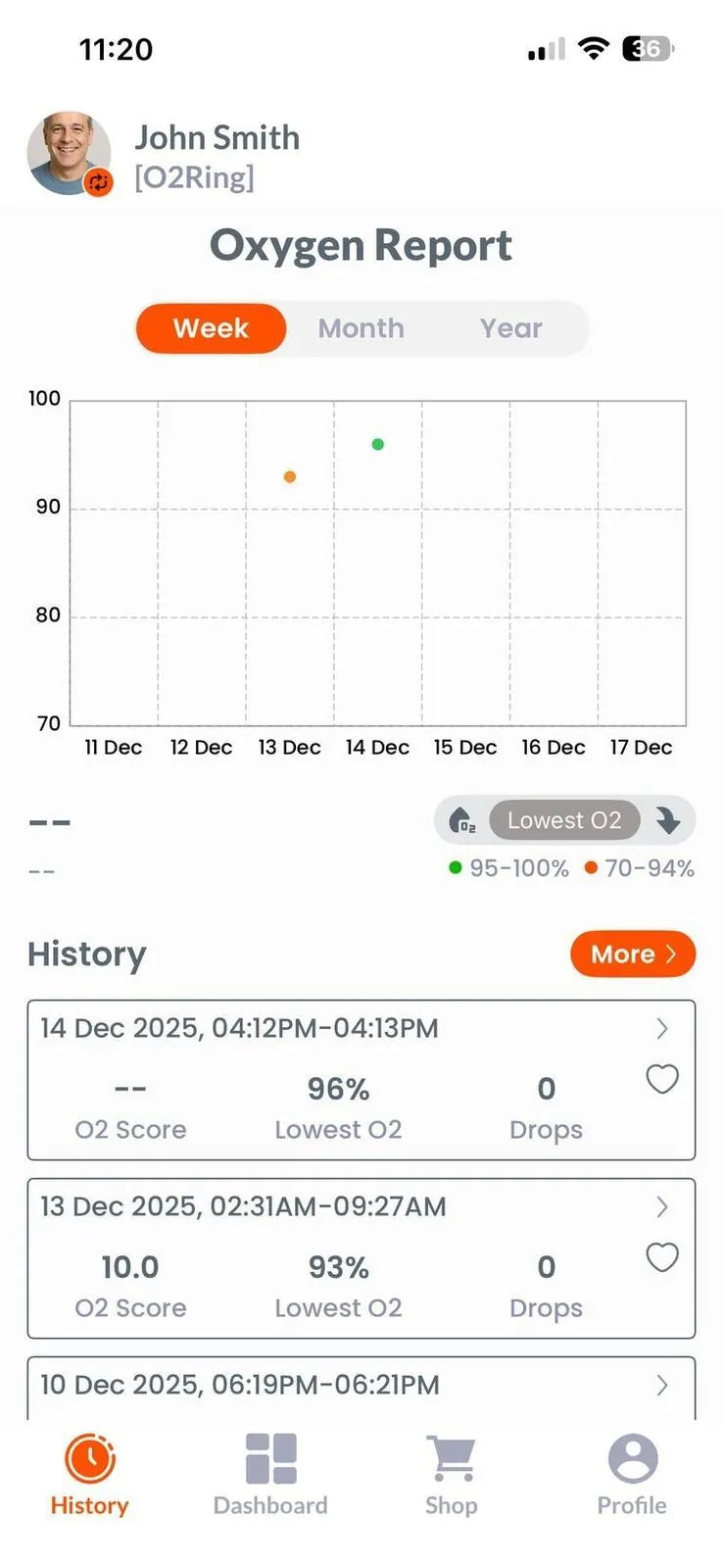
History and trends
Week, month and year views, with every past night one tap away.
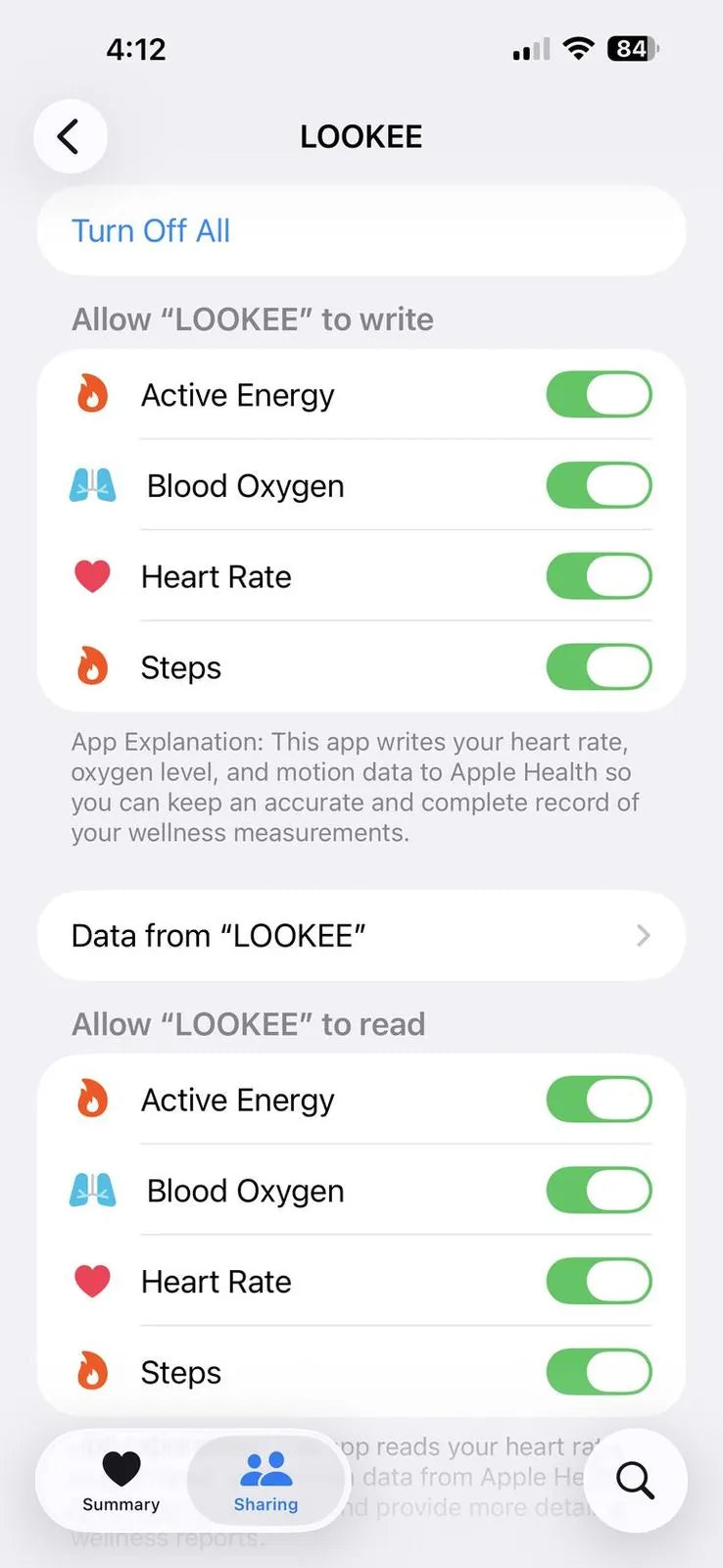
Works with Apple Health
If you choose, the App writes blood oxygen and heart rate to Apple Health.

Several devices, one App
Add your O2Ring, Smart KidsO2™, A320B oximeter and other LOOKEE® devices to the same App.

Works with the App
One App for your LOOKEE® devices
More LOOKEE® devices are coming to the App.


Made by LOOKEE®
Why we built our own App
We build our own technology so it can keep getting better. The LOOKEE® App is ours: made for LOOKEE® devices and supported by the same team that answers your emails.
Built by LOOKEE®
Developed by the LOOKEE® team in the US and Canada, around what our customers ask for.
One App, all your devices
Your rings, Smart KidsO2™, the A320B oximeter and the CardioScope™ in one place, with no switching between apps.
Smarter alerts
More choice in notifications and reminders, so they fit your routine.
Free cloud backup
New phone? Log in and your history comes back. Your data stays with you, even when your phone does not.
Keeps getting better
Regular updates for usability, speed and new features, shaped by customer feedback.
Free on iPhone and Android
Get the LOOKEE® App
Questions
About the LOOKEE® App
Is the App free?
Yes. The LOOKEE® App is free on the App Store and Google Play, with no monthly subscription.
Do I need my phone next to me overnight?
No. LOOKEE® rings save the night on the device. Open the App in the morning and it syncs.
Can I share a report with my doctor?
Yes. Export the night as a PDF report, or as CSV or image files, and send or print it.
Where is the PC software?
The Windows and Mac software for the O2Ring, Ring-Pro and Smart KidsO2™ is on our downloads page.
Which devices work with the App?
The O2Ring, Ring, Ring-Pro, Smart KidsO2™, the A320B fingertip oximeter and the CardioScope™ A60.
Monitoring, never diagnosis.
LOOKEE® monitors are for wellness and sleep-trend tracking. They do not diagnose or treat any condition. Talk to a qualified healthcare professional about anything that concerns you.